In-person EMDR using your phone as a remote
In the room, you want your attention on the client, not on a laptop. EMDR Pro lets your client follow the BLS on a larger screen in the room while you control everything from your phone.
A remote control for the EMDR session
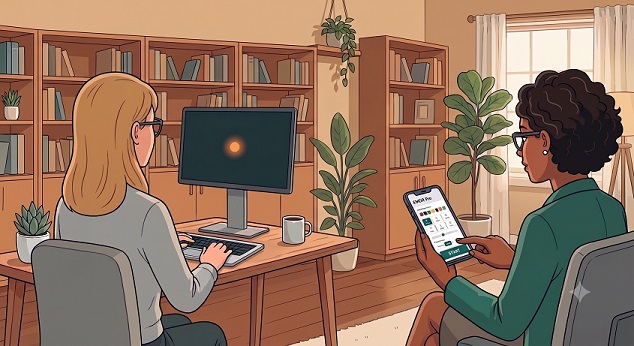
An in-person session works exactly like a remote session, except that your client is sitting in the same room. Your client follows the BLS on their own computer, tablet or monitor, and your phone becomes the controller. You keep eye contact, sit where you can observe, and adjust the session without leaning across to a device.
How to set it up
- Open emdrpro.com on your phone and sign in.
- Tap Invite Client to generate the Invite Client link.
- Share the link with the computer your client is using, for example by email.
- Your client opens the link on their computer. No account or download is needed, and the session can begin.
- Control the BLS from your phone: set the speed, size, colours and sound, run your sets, and ask for SUD and VoC ratings or send a short message to the client's screen.
What you can control
- Dot speed, size, colour and background, and bilateral audio.
- Saved presets for clients you see regularly.
- Session notes you keep for yourself.
- SUD and VoC prompts, and on-screen messages.
Choosing a screen: a bigger, wider screen gives a better sweep. A tablet works for many clients; for the widest field, consider VR with FullSweep®.
Moving between in-person and remote
Because an in-person session is set up in the same way as a remote session, you can switch to remote whenever a client cannot attend: send the Invite Client link to their device instead, with no new software. Everything stays private: see our privacy guide.
Frequently asked questions
Do I need a lightbar?
No. EMDR Pro replaces a physical lightbar with a customisable on-screen one.
Can the client stop the session?
Yes. They have an I need to stop button on their screen.
Do I need to be online?
Yes. A connection is needed so your phone and the client's screen stay in sync.
Can my client use a phone instead of a computer?
Yes, they can open the link on a phone, but a larger screen gives a wider sweep.