Remote EMDR on Zoom and other video platforms
You can run EMDR with clients anywhere using the video platform you already use. EMDR Pro supplies the bilateral stimulation; your video call supplies the face-to-face connection.
How remote EMDR works alongside a video call
Remote EMDR needs two things running at once: a video call so you and your client can see and hear each other, and a bilateral stimulation (BLS) source your client can follow. Screen-sharing a moving dot over video is a poor substitute, because compression and lag cause stuttering and the client sees a delayed version of what you control.
With EMDR Pro, the BLS is generated on your client's own screen and synchronised in real time with your controls. The video call stays a separate window or device, so Zoom, Microsoft Teams, Google Meet, Doxy.me, Skype or a plain phone call all work.
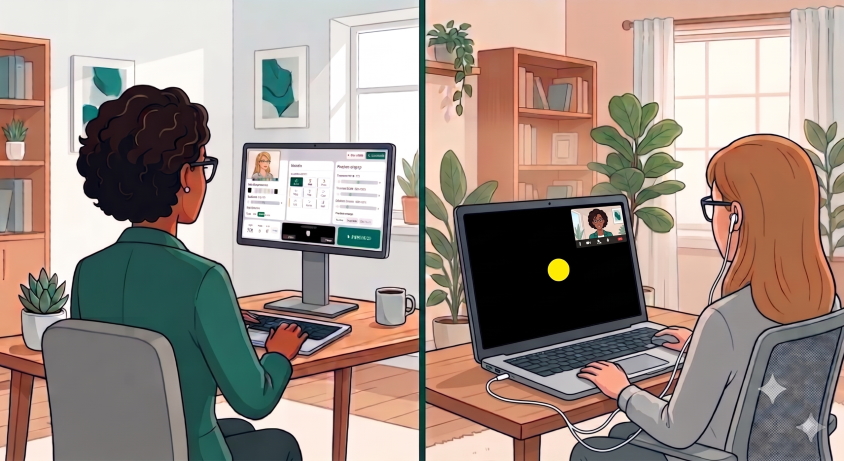
Step by step: your first remote session
- Start your video call on your preferred platform as normal.
- Open EMDR Pro in your browser and sign in. New therapists get a 30-day free trial.
- Choose Invite Client to generate a session link and code.
- Send the link in the video chat or by message. Your client opens it at emdrpro.com/client.html. No account or download is needed.
- Set up the BLS: speed, dot size, colours, sound and so on. Changes appear on your client's screen as you make them.
- Run your sets, ask for SUD and VoC ratings, and send short messages to your client's screen as needed.
Tip: ask your client to place the video window to one side and keep the EMDR screen as large as possible. A wide, full-screen view gives the best eye movement. If their screen is too small, see our guide to EMDR in VR with FullSweep®.
What your client needs
- A phone, tablet or computer with a current browser.
- Earphones if you are using bilateral audio.
- A quiet, private space and a stable internet connection.
Safety and good practice
Remote EMDR still needs clinical judgement. Confirm the client's location and an emergency contact, check they are suitable for remote work, and agree a stop signal beforehand. Clients have an I need to stop button on their screen so they can pause the BLS at any time. People with photosensitive epilepsy should speak to a medical professional before using visual BLS.
See also: in-person EMDR using your phone as a remote and GDPR and privacy for EMDR tools.
Frequently asked questions
Does EMDR Pro work with Zoom?
Yes. EMDR Pro runs in a separate browser window or device and works alongside Zoom, Teams, Google Meet and most other video or phone solutions.
Does my client need to create an account?
No. Your client joins with a link or code at emdrpro.com/client.html.
Do I need to share my screen?
No. The BLS runs on your client's device and is synchronised with your controls, so there is no screen-share lag.
Can I control the session from my phone?
Yes. EMDR Pro works on phones, tablets and computers.