Frequently Asked Questions
Learn more about how EMDR Pro facilitates seamless therapy sessions.
The therapist clicks the 'Invite Client' button to generate a secure, unique session link to a private treatment room and shares it with the client. When the therapist clicks 'Start EMDR', both parties connect in real-time, allowing the client to see the exact same synchronized bilateral stimulation session.
The privacy of each remote session is fully guaranteed. Each session generates a unique 'room' ID, which you can see in the URL at the top of your screen (e.g., https://emdrpro.com/app.html?room=CNUDTT). To ensure you get a new room ID for every client session, always start at the EMDR Pro homepage (https://emdrpro.com) and click the 'Start EMDR session' button.
This is likely the result of a transient network interruption during the client application's initialization. A client page refresh will consistently resolve this type of initialization interruption.
No. EMDR Pro is entirely browser-based. Clients simply click the session link provided by their therapist, and the session opens directly in any standard web browser like Chrome, Safari, or Edge. There are no apps to install or accounts to create.
Clients need a tablet, laptop or desktop computer with a functional webcam (if the therapist wants to include video chat), a microphone, and a stable internet connection. A sufficiently sized screen is required to properly track the visual moving target or light bar. Headphones are highly recommended if auditory Bilateral Stimulation (BLS) is utilized.
EMDR Pro features fully synchronized, real-time digital BLS tools. The therapist uses an intuitive control panel to adjust the speed, color, visual path, and shape size of the moving target on the client's screen. They can also activate synchronized alternating audio tones for clients wearing headphones.
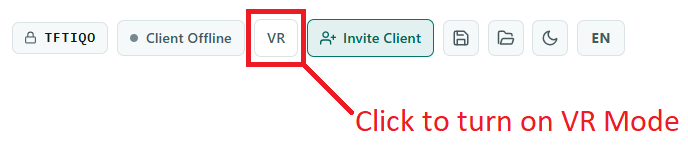
If the client does not have a wide enough screen for effective EMDR, a good alternative is to use VR. All the client needs is a smartphone (Android or iOS) and a VR headset. When the client opens the EMDR Pro session link sent by the therapist on their smartphone they must then place the smartphone in the VR headset for the VR session to begin. A smartphone VR headset can be bought for around €15 on Amazon. The client should also have earphones for the BLS audio.
Eye Movement Desensitization and Reprocessing (EMDR) is an evidence-based psychotherapy designed to help individuals heal from symptoms and emotional distress resulting from disturbing life experiences. It focuses on the brain’s natural memory processing system to safely reprocess traumatic memories so they no longer trigger intense emotional or physical distress.